
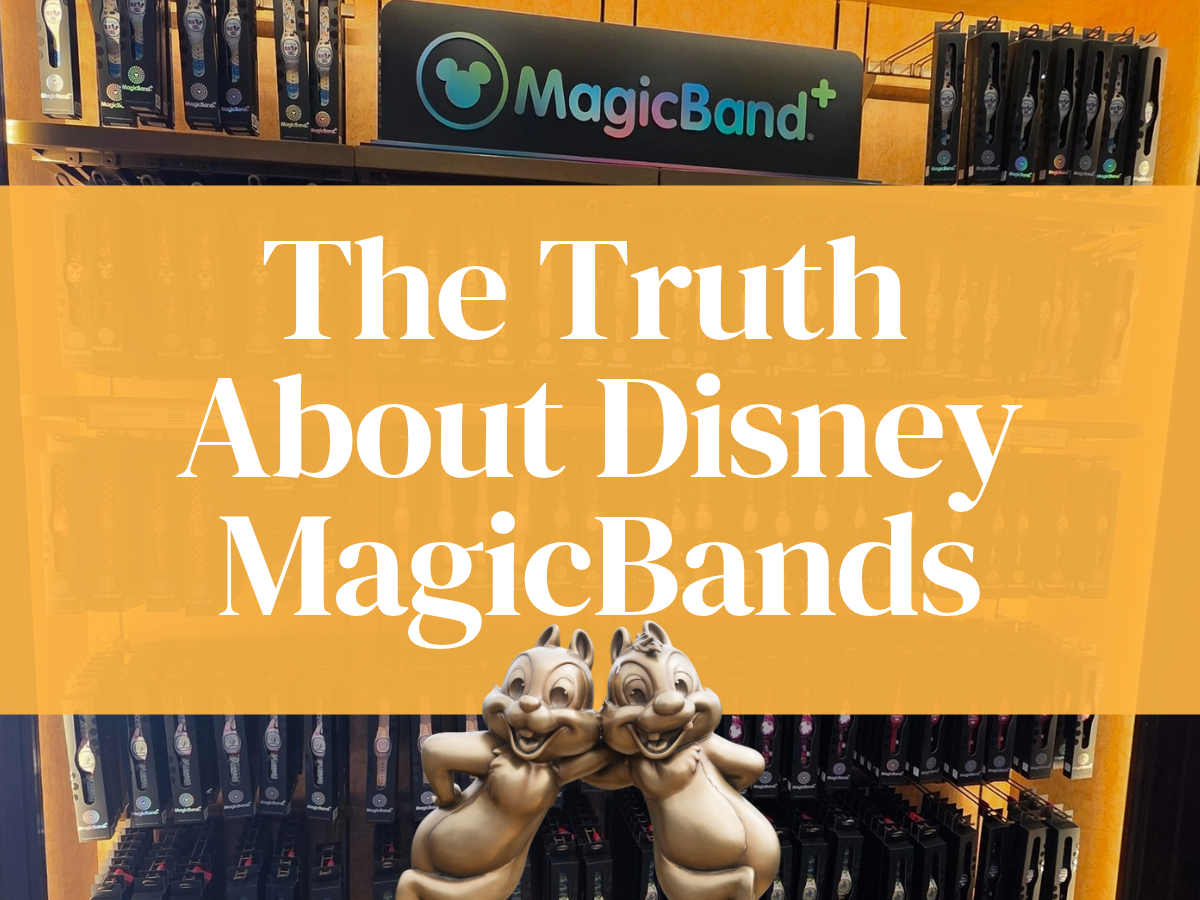
Hey Dreamers! If you’re planning a Walt Disney World vacation, you’ve probably noticed those colorful wristbands everywhere and thought, “Wait… do I need one of those?” Well, let’s answer the big question: Do you need a MagicBand at Disney World?
Nope. You absolutely do not. And I must say now, that I will never use one again. But I will dive into why later so stay tuned!
You can visit Walt Disney World, walk into the parks, use Lightning Lane, stay at a Disney Resort hotel, connect your PhotoPass photos and have an amazing vacation without ever putting a MagicBand on your wrist.
Now, that doesn’t mean MagicBand+ isn’t fun or useful. It definitely can be! It can make certain parts of your vacation ridiculously convenient, and there are some fun interactive experiences that you simply won’t get with your phone or park ticket. So really, the question isn’t whether you need one. You don’t.
The question is whether a MagicBand+ fits the way you like to do Disney. So do you need a MagicBand at Disney World???.…. grab some tea or coffee and let’s dive in!
What Is a MagicBand?
MagicBands first arrived at Walt Disney World in 2013 as part of Disney’s MyMagic+ system (yea, they are ancient). The idea was to make many parts of a Disney vacation easier by putting them into one wearable device. Instead of carrying a park ticket and separate room key, for example, you could use your wristband at certain touchpoints throughout Walt Disney World.
Today, MagicBand+ is the current version. It combines those practical functions with rechargeable technology that can light up, vibrate and respond to certain experiences around the resort. Disney describes MagicBand+ as a way to enter the parks, unlock your Disney Resort hotel room, check in at Lightning Lane entrances and virtual queues, connect PhotoPass images and charge eligible food and merchandise purchases to your Disney Resort hotel account.
So while MagicBand+ has certainly become a piece of Disney merchandise, its original purpose was much more practical: it was designed to connect your physical experience at Walt Disney World with your Disney account.

What Can You Do With a MagicBand+ at Disney World?
This is the part that’s important to understand before deciding, “Do you need a MagicBand at Disney World?” MagicBand+ can do quite a bit at Walt Disney World, but not every feature is going to matter to every family. For some, it’s a super convenient little wristband that makes certain parts of the day easier. For others, it’s just one more thing to charge, wear and keep track of.

Enter the Theme Parks
With valid admission, a linked MagicBand+ can be used to enter the Walt Disney World theme parks. Instead of pulling out a phone, card or other admission method, you can simply use the band at the appropriate touchpoint.
For people who like the convenience of keeping their admission on their wrist, this is one of the most straightforward reasons to use a MagicBand. It is quick, easy and one less thing to pull out of your bag or pocket.

Check In at Lightning Lane and Virtual Queue Entrances
If you purchase Lightning Lane passes or have access to a virtual queue, MagicBand+ can be used to check in at the appropriate entrance. Disney also lists other ways to access these features, so a MagicBand isn’t required just because you plan to use Lightning Lane.
This is one of those situations where the MagicBand is primarily about convenience. Tapping your wrist can be easier than pulling out your phone, particularly when you’re moving through the parks all day.
Unlock Your Disney Resort Hotel Room
If you’re staying at a Disney Resort hotel, MagicBand+ can be used for keyless entry to your room. You can also use the My Disney Experience app to unlock your room, so buying a MagicBand isn’t a requirement for accessing your hotel room.
For some families, this is one of the best features because you don’t have to reach for your phone every time you return to your room.
Charge Eligible Purchases to Your Resort Hotel Account
MagicBand+ can also be used to charge eligible food and merchandise purchases to your Disney Resort hotel account when the feature is available. A credit card must be on file with the resort account, and additional authentication such as a PIN may be required.
Again, this is convenience rather than necessity. If you like the idea of tapping your wrist instead of pulling out a wallet or phone, this can be particularly handy.
Connect Disney PhotoPass Photos
A linked MagicBand or MagicBand+ can automatically connect certain attraction photos and videos to your Disney account. Disney also allows other methods for connecting eligible photos, so you don’t need a MagicBand just to get your attraction photos.
This can be especially useful if you don’t want to think about photo linking while you’re riding attractions. The band can quietly handle that part for you while you enjoy the experience.
Interact With the Parks
This is where MagicBand+ becomes more than a convenient way to tap into existing systems. The band has lights, haptic vibrations and motion recognition that allow it to respond to certain experiences around Walt Disney World.
MagicBand+ currently interacts with sculptures throughout Walt Disney World. It can also respond during select entertainment and nighttime spectaculars, including experiences such as Happily Ever After, Luminous The Symphony of Us and Fantasmic!, along with select newer entertainment.
If you enjoy those little interactive touches, this can be a lot of fun. There is something entertaining about having your wristband suddenly light up during a nighttime show or having it respond when you interact with something in the park.
But there’s an important distinction here: these are extras. They are not requirements for experiencing the parks.
Where Does MagicBand+ Actually Do Something Extra?
The interactive side of MagicBand+ is fun, but it’s important to put it into perspective. You aren’t going to spend your entire Disney vacation interacting with your wristband. These features are built into specific experiences, entertainment and locations rather than being something you continuously use throughout the day.
In Magic Kingdom, for example, MagicBand+ can interact with the Fab 50 Character Collection and participate in select entertainment and nighttime experiences. EPCOT has MagicBand+ interactions with the Fab 50 collection and select nighttime entertainment. At Hollywood Studios, Star Wars: Batuu Bounty Hunters gives MagicBand+ users a particularly interactive experience in Galaxy’s Edge, while other entertainment can also use the band’s lights and vibrations.
Disney also has interactive experiences where a MagicBand+ is an option rather than a requirement. A Pirate’s Adventure: Treasures of the Seven Seas in Adventureland, for example, can use MagicBand+, but Disney also provides other ways to participate.
That distinction matters. If the interactive features are the primary reason you’re considering a MagicBand+, know that they are optional. They can be fun, but you don’t need them to experience Walt Disney World. And to be honest, my family has never had interest in trying these experiences.

Do Kids Need MagicBands?
Kids don’t need MagicBands, but they may really enjoy them. The colors, characters, lights and interactive features can turn the band into another part of the Disney experience, particularly for children who enjoy collecting Disney merchandise or looking for interactive elements throughout the parks.

The practical question is whether your child is going to enjoy wearing it or whether you’re going to spend the day wondering where it went. MagicBands are another thing to keep track of, particularly with younger children. And if your little one tends to lose things, there is a simple accessory that can give you a little more peace of mind…
Consider a MagicBand Security Loop
Two words… life savers. MagicBand security loops, sometimes called band keepers, are tiny silicone rings that slide over your MagicBand and give you a little extra insurance if the clasp decides to pop open. They’re inexpensive, come in all kinds of colors and styles, and you can find them from a variety of third-party sellers, including Amazon. If your child has a MagicBand, or you’re just the person who would rather not watch a $40 band disappear somewhere between Space Mountain and the castle, I’d absolutely consider one.
They aren’t required, but if you have a little one wearing a MagicBand all day, I can completely understand wanting that extra bit of security. The last thing you want is to look down halfway through a park day and realize your child’s MagicBand has disappeared. A simple keeper can give you a little more peace of mind and make one less thing you have to worry about while you’re enjoying the parks.
What About Staying at a Disney Resort Hotel?
A Disney Resort hotel stay can make MagicBand+ more convenient, but it still doesn’t make one necessary. You can use MagicBand+ to unlock your room, enter the parks with valid admission, check in at Lightning Lane entrances and virtual queues, charge eligible purchases and connect PhotoPass photos. Disney also provides alternatives for several of these functions, including the My Disney Experience app and Key to the World Cards.
If you like having everything on your wrist, this can be a very convenient setup. If you don’t, you aren’t giving up your ability to enjoy your Disney Resort simply because you don’t own a MagicBand.
Don’t Forget to You Have to Charge Your MagicBands
One other thing to keep in mind with MagicBand+ is that they need to be charged. If everyone in your family has one, that can mean several bands competing for outlets along with your phones, watches, tablets and everything else you brought to Disney World. I used to bring a charging strip with USB ports so I could plug in multiple devices and charge everyone’s MagicBands at the same time.
That was back when my family was still using them regularly, though. I don’t use MagicBands anymore, so I no longer have that extra charging task to think about. But if your family loves them, just remember to make charging part of your nightly routine so you aren’t starting the next park day with a dead band.
What About MagicBand+ and Disney’s Technology?
There is another side of the technology that is worth understanding. MagicBands aren’t simply colorful wristbands. They are connected to the larger digital system behind your Walt Disney World vacation.
Disney’s documentation explains that MagicBands use radio-frequency technology, while MagicBand+ also uses Bluetooth. That technology allows the band to communicate with readers and other devices around the resort and connect certain physical interactions with your Disney account. It supports things like park entry, hotel access, purchases, PhotoPass and interactive experiences, while also allowing Disney to provide some location-based and personalized features.
That means there is a data component to the technology. Disney’s terms explain that information associated with these technologies can be used to provide experiences and improve services. That doesn’t mean a MagicBand should simply be thought of as a tracking device, but it is reasonable to understand that when you choose to use one, you are participating in a connected technology system that collects and uses information.
So… Do You Need a MagicBand at Disney World?
So when you’re asking yourself, “Do you need a MagicBand at Disney World?”, what you really have is a choice between convenience, interactive extras and simplicity. A MagicBand+ can make certain transactions and touchpoints easier, and it gives you access to interactive features that can be genuinely fun. But none of those extras are required for a Disney vacation, which means you can choose what works best for your family.

For me, this is where the decision gets personal. I’ve been using MagicBands for years, and I’ve reached the point where I usually don’t wear one. I don’t wear a watch, I don’t particularly like things on my wrist, and when I’m running around the parks, I would rather use my phone when I need it.
That doesn’t mean I think MagicBands are pointless for everyone. They’re cute, they’re fun and they can absolutely make certain parts of a Disney vacation easier. If you love the convenience, want to interact with the parks or simply enjoy wearing Disney merchandise, there’s a lot to like about MagicBand+.
But I also think there’s something to be said for being intentional about what you bring into your Disney vacation.
There is already a tremendous amount happening around you at Walt Disney World. Between your phone, the My Disney Experience app, Lightning Lane, mobile ordering, PhotoPass, notifications, reservations and everything happening inside the parks, it can be easy to turn a Disney vacation into a long list of things to manage.
For some people, MagicBand+ adds to the fun. For others, it adds another thing to charge, wear, remember and keep track of. Neither approach is wrong. It really comes down to how you like to experience Disney.
If the interactive experiences sound like something your family will genuinely enjoy, MagicBand+ can be a fun addition. If you primarily want it because you think you need one to get around Walt Disney World, you don’t. The practical functions have alternatives, and the interactive features are optional.
So if you’re standing in the merchandise shop wondering whether you really need to buy that MagicBand before your vacation, take a breath. You can absolutely do Disney without one.
And if you decide you want one? Great. Just know that you’re buying convenience and optional experiences, not a requirement for visiting Walt Disney World.

One More Thing to Consider Before You Buy
MagicBands are useful. They’ve been around for a long time, and there’s a reason Disney continues to offer them at Walt Disney World. But they are also an older piece of Disney technology in an experience that is constantly changing.
Today, a basic MagicBand+ start at $34.99 and some limited-edition versions costing even more (over $60 each). That can add up quickly if you’re buying one for everyone in the family, particularly when you consider that the band is an optional convenience rather than something you actually need.

And Disney is constantly evolving how we experience its parks. Disneyland stopped selling MagicBand+ on property in 2026, although existing bands continue to work there, and that change is at least something to keep in the back of your mind when deciding how much you want to invest in a wearable technology that may not always have the same role it does today.
Disney has made no changes to MagicBands at Disney World and if you’re spending $35 or more per person, it’s worth asking yourself how much you’re actually going to use it. Really.
If you’ve decided a MagicBand+ sounds like something you want to try, Disney Store is a great place to start. They have a wide variety of new MagicBand+ designs available, from simple options to plenty of Disney characters and themed designs. You’ll also find MagicBands through other sellers online, including both new and previously owned bands, so there are plenty of options if you’re looking for something specific.
That said, if there’s a particular character or design your family has their heart set on, you may want to wait until you arrive at Walt Disney World. The selection in the parks and resorts can be surprisingly extensive, and sometimes it’s just more fun to pick one out once you’re there. But if you want to have your MagicBands ready to go before your vacation, Disney Store has plenty to choose from.
Why I Personally Skip MagicBands
So, why don’t I use MagicBands anymore? Honestly, there are a few reasons! First, have you ever tried wearing something around your wrist all day in the Florida heat? Between the humidity, sweat and everything else, I just don’t love having a band on my wrist. I’m not even a watch person, so maybe that tells you everything you need to know!
I’ll admit, there was one time I really wished I had one: when we had the Lightning Lane Premier Pass and had to pull out our phones to scan into each attraction. Having a MagicBand would have made that part easier. But for everyday park visits, I’m perfectly happy using my phone.
Then there’s the cost. When MagicBands first came out, they were complimentary for Disney Resort hotel guests. Now, with prices climbing into the $35–$45 range and sometimes higher, buying one for every person in the family adds up quickly. PLUS my kiddos have lost one too many over the years for me to feel great about spending that much on another one!
There’s also the nightly charging situation. If four or more people in your family have MagicBand+, you’re adding several more devices to your charging routine. After a long day in the parks, I want to get back to the room, kick back and unwind. I don’t want to spend my evening organizing a charging station and making sure everyone’s wristband is ready for tomorrow.
And finally, I think the original oooooh! factor has faded a little for me. MagicBands have been around for years, and while I can absolutely see why people still love them, I’m ready to see what Disney comes up with next. The company has a long history of changing how we experience its parks, and I wouldn’t be surprised if there’s new technology waiting somewhere down the road. I have no inside information about what that might look like, but I’m excited to see what comes next.
For now, I’m happy keeping things simple. I’ll use my phone, save a little money, skip one more thing to charge and keep my wrists free. That’s what works for me! Your family might absolutely love MagicBand+, and that’s great, too. The beauty of Disney is that you can make the experience your own. You don’t have to do everything the same way as everyone else.
BUT I have a completely different opinion when it comes to a Disney Cruise…
What About MagicBands on a Disney Cruise?
Now, if we’re talking Disney Cruise Line, I have a slightly different take! Disney uses the name DisneyBand+ for its cruise wristbands, and they’re designed to make life onboard a little easier. You can use one to unlock your stateroom door and make onboard purchases without having to carry your Key to the World card everywhere you go. Heading to the pool or wandering around the ship?
Having your room key and payment method right on your wrist can be pretty convenient! And here’s a little bonus: if you already own a compatible MagicBand+ from Walt Disney World, you may be able to use it on a Disney cruise instead of buying a separate DisneyBand+. Just keep in mind that compatibility and features can vary by sailing. You can still use your Key to the World card, so a wristband isn’t a must-have. But on a cruise, I can definitely see the appeal of having one less thing to carry around!

Sometimes, You Just Need a Person in Your Corner
And maybe this is the biggest thing I want you to take away from all of this: sometimes having someone next to you to help with all the little things can make a Disney vacation so much easier. So Do you need a MagicBand at Disney World? I can help you determine that.
There is a sea of Disney travel planners out there, so where do you even start? If you find a planner you’d love to work with, talk to them. Ask questions. See if they’re willing to really dive into the details with you, rather than simply booking a room and sending you on your way. Because when you find someone who wants to understand how you like to travel, what matters to your family, what you want to experience and what you really don’t care about, they can become your right-hand person throughout the entire planning process.
That is exactly the kind of Disney planning I love to do.
The little details are my favorite part. I genuinely enjoy getting to know people and figuring out what will make their vacation work for them. Maybe you’re wondering whether you need a MagicBand, how to use Lightning Lane, which resort makes the most sense, how to structure your park days or what you can simply skip. Those questions may seem small individually, but together they can make a big difference in how confident you feel going into your vacation.
And Disney has been a huge part of my life for a very long time. About 30 years ago, I was selling Disney tickets at the Disney Store. Later, I drove around the Orlando area in a Toy Story van while working with Disney Destinations, selling Disney ticket products. I went on to become a Disney Cast Member and spent more than 10 years working for Disney. I’ve stayed at every Disney Resort, and I’ve spent decades learning the ins and outs of Disney destinations.
But the thing that has stayed with me through all of it is that I love helping people.
I don’t want to simply give you a pile of Disney information and send you off to figure out what applies to you. I want to get to know you, understand how you travel and help you make decisions that actually make sense for your family. Because information is everywhere. Confidence is rare.
OK, Dreamers… if you’d like someone in your corner who genuinely enjoys getting into the little details, I’d love to help. Feel free to email me or submit your information through the planning form below, and let’s get started
Fill out the form below or feel free to reach out to me via email at morganc@magicmorningsvacations.com!





Leave a Reply